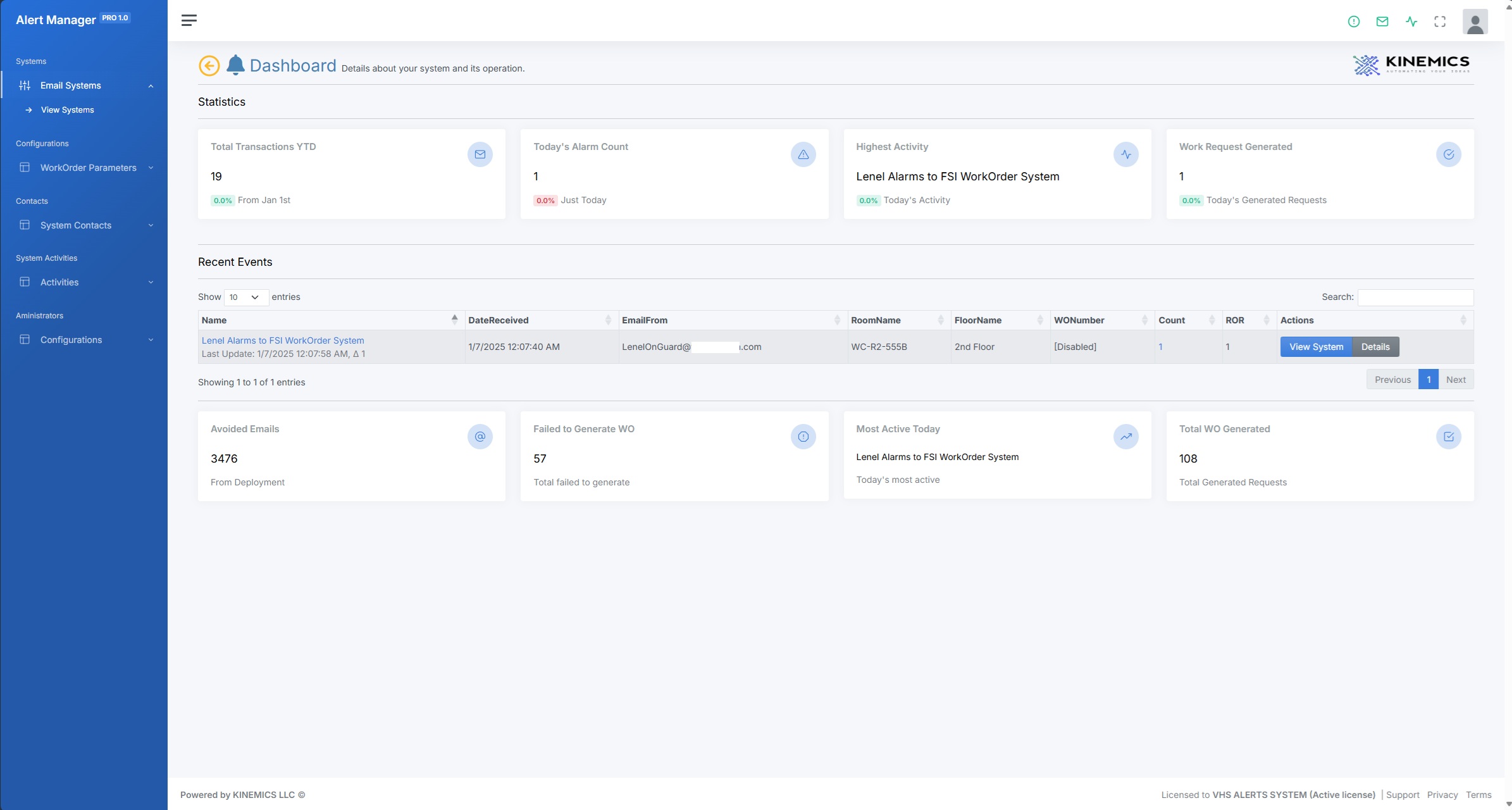
No need to set up IS infrastructure; this is as simple as sending an email.
NotiTask 3.0
Simple and easy to setup and deploy. /p>
- Provide the source email.
- Set up your CMMS API Access Account.
- Develop the email parser.
- Create system and test functionality.
- Enable work order generation.
- Done!
Benefits
Utilizing an Email Alert to Work Order system offers numerous benefits, especially when it comes to managing system alerts and integrating multiple systems into a cohesive action plan. One of the most significant advantages is the enhanced responsiveness to critical issues. By converting system alerts into work orders, organizations can ensure that every alert is acknowledged and addressed promptly. This minimizes downtime and prevents minor issues from escalating into major problems. The automated conversion of alerts into actionable tasks ensures that no alert is overlooked, thereby maintaining the smooth operation of systems and preventing disruptions.
Another key benefit is the streamlined communication and coordination between different departments. When an alert is generated, it is automatically converted into a work order and assigned to the appropriate team or individual. This eliminates the need for manual intervention and reduces the risk of miscommunication. By having a centralized system where all alerts and work orders are tracked, everyone involved can stay informed about the status and progress of each task. This transparency fosters better collaboration and ensures that everyone is on the same page.
Integration of Systems
The integration of multiple systems into a single action plan is another significant advantage. Many organizations operate with a variety of systems and tools, each generating its own set of alerts and notifications. An Email Alert to Work Order system can consolidate these alerts from disparate systems into one unified workflow. This not only simplifies the management of alerts but also provides a comprehensive view of all ongoing issues and tasks. By having a single point of reference, organizations can prioritize and manage resources more effectively, ensuring that the most critical issues are addressed first.
Furthermore, the use of such a system can lead to improved data analysis and decision-making. With all alerts and work orders centralized, organizations can easily generate reports and analyze trends. This data can reveal recurring issues, identify areas for improvement, and inform future strategies. For instance, if a particular type of alert is frequently converted into work orders, it may indicate a need for system upgrades or additional training for staff. Overall, an Email Alert to Work Order system not only enhances the efficiency and effectiveness of managing system alerts but also contributes to better organizational performance and strategic planning.
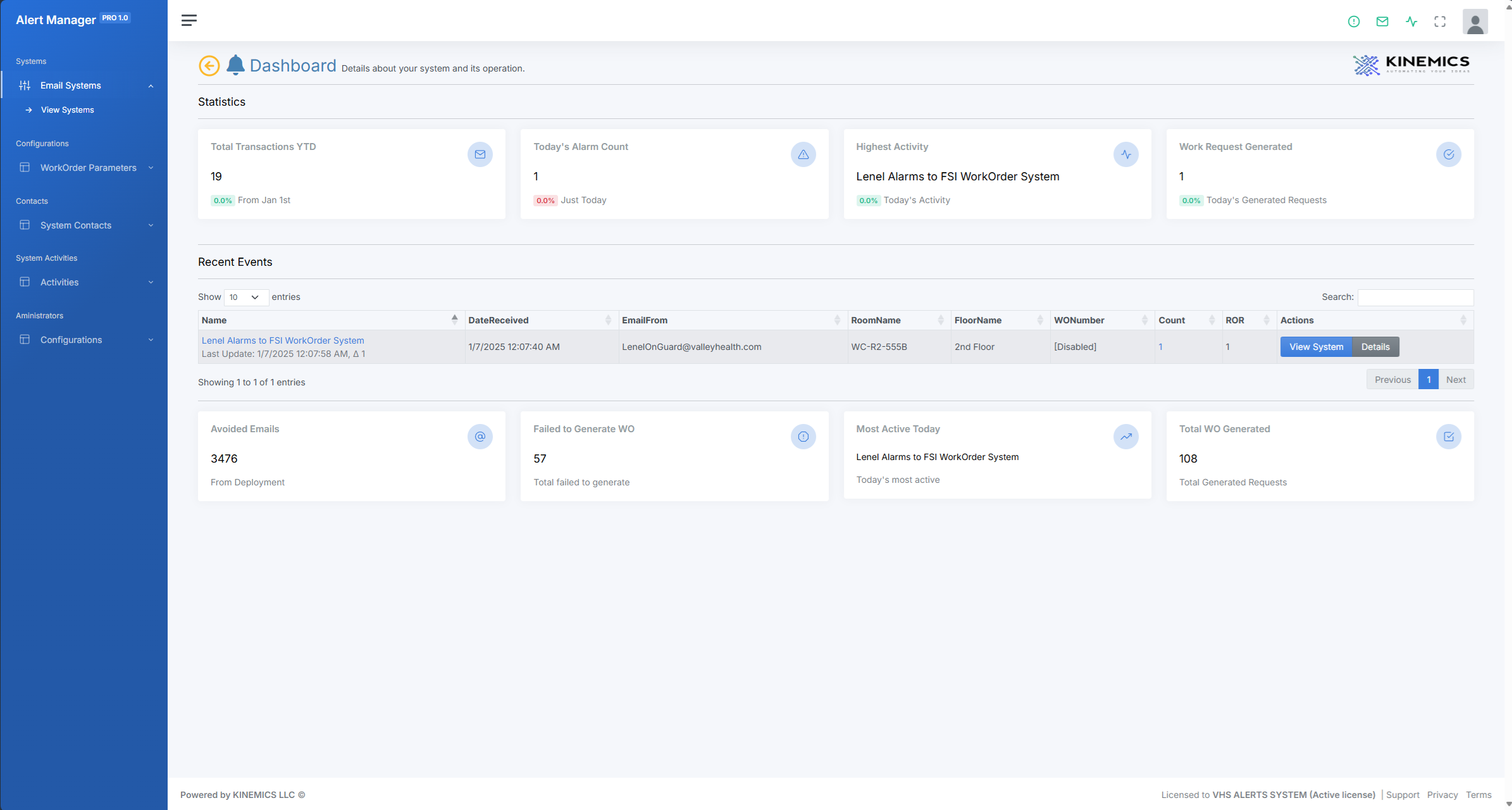
System Workflow
The Email2WorkOrder SaaS is an innovative solution designed to streamline maintenance operations by automatically converting email alarms and alerts into actionable work orders. This system is configured to integrate seamlessly with any Computerized Maintenance Management System (CMMS) that is API enabled.
Workflow Overview
The Email2WorkOrder process involves several key steps from the moment an email alert is received to the generation of a work order in the CMMS system. Below is a detailed description of the workflow:
Email Detection
- The system continuously monitors a specified email inbox for incoming alarms and alerts.
- Emails can be generated by various sources, including chillers, air handlers, locks, and alarms.
Email Parsing
- Once an email is detected, the system parses the email to extract relevant information.
- This includes identifying the source of the alarm, the nature of the issue, and any other critical details.
- The parsing process uses predefined rules and patterns to ensure accurate data extraction.
Data Validation
- Extracted data is validated against a set of predefined criteria to ensure its accuracy and completeness.
- If any data is missing or incorrect, the system can send a notification to a specified email address for manual review and correction.
Work Order Generation
- After validation, the system uses the API of the CMMS to generate a new work order.
- All relevant information extracted from the email is included in the work order, such as the nature of the issue, location, and any additional notes.
- The work order is assigned a unique identifier and is tracked within the CMMS for further action.
Live Queue
The system includes a Live Queue feature that displays all active alarms as they are received. This real-time interface allows maintenance teams to monitor incoming alerts instantly, prioritize tasks effectively, and allocate resources efficiently. The Live Queue enhances situational awareness and ensures that no critical alerts are missed, providing a streamlined approach to managing maintenance operations.


Fire Alarm Integration - Case Study
Enhancing Fire Safety with NotiTask: A Game-Changer in Fire Alarm Integration
In an era where safety and efficiency are paramount, NotiTask emerges as a revolutionary solution to enhance and capture events of fire alarm systems. This cutting-edge technology seamlessly integrates with existing fire alarm systems, offering real-time tracking, monitoring, and execution capabilities that enhance both safety and operational efficiency while maintaining compliance.
Real-Time Tracking and Monitoring
In this case study, a fire alarm pull station was activated by a water leak located above the pull station. This event caused a fire alarm activation, and the central station sent the notification to NotiTask. NotiTask springs into action, meticulously recording the event and tracking activation history. This feature is crucial for understanding activation patterns and frequencies, which can significantly improve response strategies. By providing detailed descriptions of fire alarm events and integrating with central stations and CMMS systems, NotiTask ensures that all relevant information is easily accessible, facilitating swift and informed decision-making during emergencies.
Streamlined Work Order Generation
One of NotiTask's standout features is its ability to generate work orders within any API-enabled CMMS System. In this case, the CMMS system is an FSI CMMS System, and the work order generated included instructions and a provisional Interim Life Safety Measure (ILSM). This ensures that technicians have all the necessary details to respond effectively to fire alarm activations, minimizing downtime and enhancing safety, while maintaining records for compliance.
Addressing Alarm Fatigue
Alarm fatigue is a significant concern, especially in environments where fire alarms are critical, such as healthcare settings. NotiTask addresses this issue by providing features that help organizations manage alarm fatigue among staff. By utilizing emails rather than connected APIs, NotiTask simplifies integration with any email-enabled system, making it a versatile solution for various environments and quick deployment.
Pull Station Activation – Automated email from Central Station
When the pull station is pulled, the alarm activation is sent to the central station. The central station then relates the event to NotiTask via email.
Generated Work Order with ILSM
A work order was generated with an attached ILSM and instructions for the technician to follow.
Fire Alarm Email Alert
This image shows how NotiTask captures the incoming email alert from the fire alarm and accurately parses the information to generate the work and ILSM automatically.
